
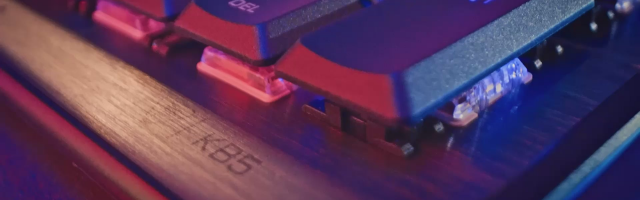
Turtle Beach Command Series KB5 Keyboard Review
I’ve had my old keyboard for six years, so I decided to buy myself an upgrade. Since the Turtle Beach Command Series KB5 keyboard has just come out, and I liked the look of it, I went ahead and grabbed it.
It is a full-size keyboard with a number pad, five dedicated macro keys, RGB lighting, a top-mounted clickable volume barrel, and a 2.4-inch Command Touch Display. Command Series KB5 Keyboard offers support for profiles, macros, system stats, apps, audio management, streaming controls, and other shortcuts, fully customisable through the Turtle Beach Swarm II app. It also handles the lighting and display options, such as adding a background image on the Touch Display.

The design of the KB5 is nice and solid, and the press of each key is firm. If you often switch between tasks, open the same tools, or rely on set commands for gaming or streaming, the macro keys are useful — by default, they are media controls. The top-mounted clickable volume barrel is useful for quick, small or large adjustments, and it’s quite firm.
The RGB lighting has multiple effects and is highly customisable on a per-key basis, so you can create something bold and colourful or keep things more restrained. It adds visual flair, but it also helps the keyboard feel more personal, particularly if you like matching the rest of your desk setup.
The 2.4-inch Command Touch Display is easily the KB5’s most distinctive feature. It gives quick access to profiles, macros, stats, apps, audio tools, streaming controls, and more, all set up in the app. The display background can be changed, which adds another fun layer of personalisation. Personally, I set it up with OBS, CPU, and GPU temperature readouts, and even a Windows shutdown shortcut. I did try out some things like copy-and-paste commands, but they weren’t suitable for me.

Typing on the KB5 is noticeably quieter than typing on my old keyboard, which makes it easier to live with if you type a lot, play late into the evening, or share a room with other people. It’s taken a bit of time to get used to pressing the keys hard enough for them to be recognised, compared to my old keyboard, but I’m getting there.
Overall, the Turtle Beach Command Series KB5 Keyboard is a feature-rich option with a practical full-size layout, macro keys, RGB lighting, quieter keys, and a genuinely interesting touch display. If you stream, like having system stats at a glance, or enjoy building a customised RGB setup, it gives you plenty to work with. If, however, you value absolute simplicity, flawless touchscreen behaviour, and a clean no-fuss setup above all else, its extra features may feel more troublesome than helpful.
Turtle Beach Command Series KB5 Keyboard Review
The Turtle Beach Command Series KB5 Keyboard is a great design for streamers. You can customise anything you like on the touch screen, and away you go.

GameGrin are proud to have all their articles researched, written, and edited by real people that care about gaming.


COMMENTS