

How to Disable Accessories in Brotato (Play Only With the Character Sprite)
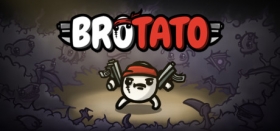
Although I deeply appreciate the effort that Blobfish made to add so many cool accessories to their bullet heaven (or survivor-like) title, Brotato, I also wanted to be able to enjoy the character’s sprite. After nearly 70 hours, I finally figured out how! So, without further ado, here is how you can do it, too.
How to toggle accessories in Brotato:
- When you boot up the game, head over to Options (which should be the fourth option, right under Codex).
- Go to Gameplay, which should be the third tab.
- Scroll down to “No Item Appearance” and toggle it.
There you go! Now you’ll only see the character’s sprite. There are tons of other options there, so maybe check them out while you’re around!
Brotato is available now on Steam, PlayStation 4, PlayStation 5, Xbox Series X|S, Nintendo Switch, Nintendo Switch 2, and mobile via iOS and Android.

GameGrin are proud to have all their articles researched, written, and edited by real people that care about gaming.




COMMENTS